
“Where Is My Order” Prevention: The 7 Tracking Updates Customers Trust
Global logistics visibility is the fastest way to cut “Where Is My Order” tickets before they start. Customers don’t need more messages. They need the right updates at the moments that feel risky: after payment, before the first scan, at handoff, at border events, and on delivery day. When updates feel clear and consistent, people stop guessing, and they stop opening support tickets.
This guide breaks down the 7 tracking updates customers trust most, why they work, and how to publish them in a calm, predictable rhythm. You’ll also see simple wording rules that strengthen WISMO prevention without adding noise.
1) Why “WISMO” happens even when your shipping is fine

Customers ask “Where is my order?” when tracking feels vague or stale. Three things usually trigger it:
- Time gaps (no scan for 48–72 hours, weekends, linehaul transit)
- Unclear custody (label created, but carrier hasn’t received it)
- High-risk milestones (customs, last-mile handoff, delivery exceptions)
This is exactly where Global logistics visibility matters most. It turns “silence” into clear progress, with timestamps, locations, and next-step expectations.
2) The 7 tracking updates customers trust most
Each update below earns trust because it answers at least one of these questions:
- Who has it?
- Where is it now?
- What happens next, and when?
2.1 Update 1 — “Order Confirmed + Processing Starts”
What it should say
- Order received
- Warehouse processing window (clear time range)
- What the customer can expect next (packing / label / pickup)
Why customers trust it
It reduces anxiety right after payment. It confirms the order is “real,” not stuck.
Make it stronger
Add a processing SLA and a support-free action:
- “We’ll send the next update when the parcel is handed to the carrier.”
2.2 Update 2 — “Packed + Ready for Handoff”

What it should say
- Packed status with timestamp
- Warehouse location (city/country is enough)
- Expected pickup window
Why customers trust it
It proves physical progress. Customers can imagine the parcel moving.
Operational tip
If packing finishes but pickup is delayed, still publish the pack event. Global logistics visibility works best when you show real internal milestones, not only carrier scans.
2.3 Update 3 — “Carrier Received / First Physical Scan”
What it should say
- Carrier name
- First scan timestamp + city
- Tracking number confirmation
Why customers trust it
This is the biggest WISMO breaker. It proves custody transfer.
Avoid the trust-killer
Don’t overuse “Label Created” as a major update. Customers read it as “nothing happened.”
2.4 Update 4 — “Departed Origin Facility (Linehaul Start)”
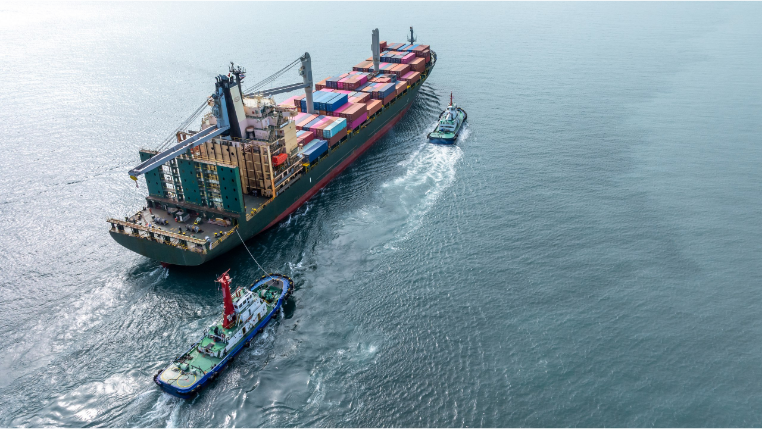
What it should say
- Origin facility departure scan
- Transit phase begins
- Expected scan rhythm (e.g., next update at hub/arrival country)
Why customers trust it
It explains the “quiet” period. Customers accept fewer scans if you frame it.
Add one smart sentence
- “During linehaul, tracking may update less often; the next key scan is arrival at the destination hub.”
2.5 Update 5 — “Arrived at Destination Country / Hub”
What it should say
- Arrival scan or inbound processing scan
- Handled-by party (carrier, postal partner, 3PL handoff)
- What comes next (customs, sorting, last-mile)
Why customers trust it
It signals the parcel is “close,” not lost overseas. This update directly supports Global logistics visibility across cross-border lanes.
2.6 Update 6 — “Customs Cleared (or Customs Action Needed)”

What it should say
- Cleared: timestamp and release confirmation
- Action needed: reason code + what the customer must do (if anything)
Why customers trust it
Customs is where buyers fear seizure, long holds, or surprise paperwork. Clear language reduces panic.
Best practice
Use plain reasons:
- “Missing invoice data”
- “Duty/tax assessment”
- “Random inspection”
Then include a next-step ETA.
2.7 Update 7 — “Out for Delivery + Delivered Proof”
What it should say
- Out for delivery time window (if available)
- Delivered timestamp + delivery method (mailbox/front desk/reception)
- Proof options (photo, geo-pin, signature, POD link)
Why customers trust it
Delivery is where disputes happen. Proof reduces “not received” claims.
Make it dispute-ready
If you can attach or reference photo/POD metadata, do it. This is where Global logistics visibility protects revenue, not just CX.
3) How to publish these updates without spamming customers
Global logistics visibility is not “more notifications.” It’s better event design.

3.1 Use an event standard with clear fields
For each milestone, keep these fields consistent:
- Event name (standardized)
- Timestamp (with timezone)
- Location (city + country)
- Actor (warehouse / carrier / customs / last-mile)
- Next-step expectation (one line)
3.2 Add “quiet period” rules
Customers forgive silence when you set expectations.
- If no scan expected for 2–4 days, say so at departure.
- If a lane commonly pauses on weekends, mention it once.
3.3 Trigger exception micro-updates only when needed
Exceptions should be specific:
- “Address issue: needs unit number”
- “Delivery attempt: recipient unavailable”
- “Weather disruption: route delayed”
Vague exception text creates more tickets.
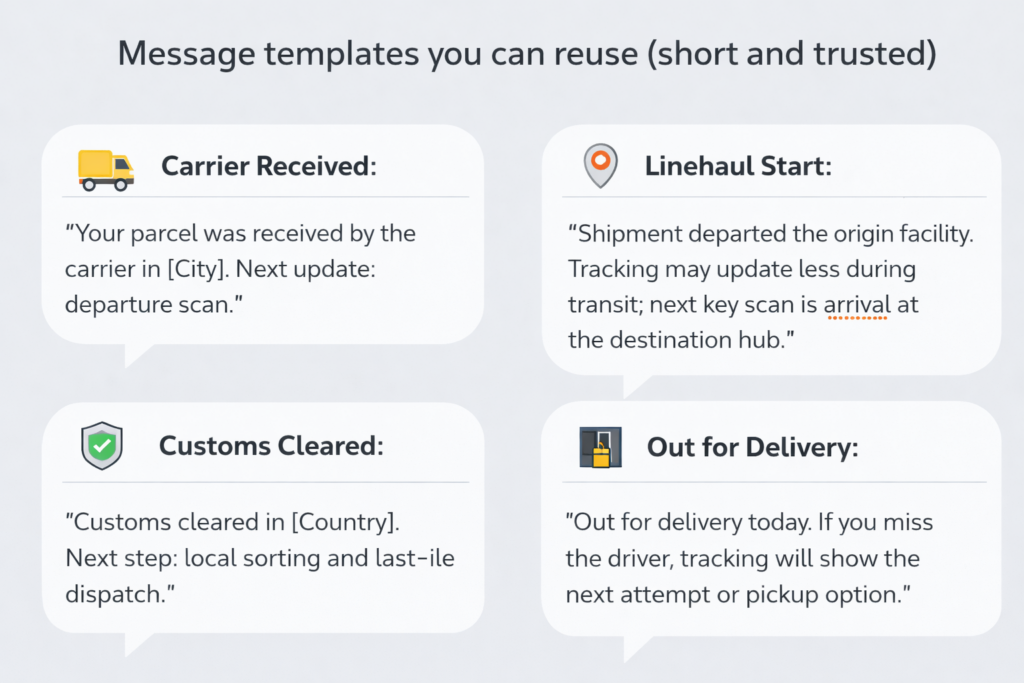
4) Message templates you can reuse (short and trusted)
- Carrier Received:
“Your parcel was received by the carrier in [City]. Next update: departure scan.” - Linehaul Start:
“Shipment departed the origin facility. Tracking may update less during transit; next key scan is arrival at the destination hub.” - Customs Cleared:
“Customs cleared in [Country]. Next step: local sorting and last-mile dispatch.” - Out for Delivery:
“Out for delivery today. If you miss the driver, tracking will show the next attempt or pickup option.”
These templates reduce WISMO because they answer “what next” every time—core to Global logistics visibility.
5) What to measure to prove WISMO prevention worked
Track these weekly:
- WISMO ticket rate per 1,000 orders
- Time-to-first-scan (order → carrier received)
- Scan gap distribution (how many orders go 72h+ without updates)
- Customs dwell time by lane
- Delivery dispute rate (DNR / INR claims)
When you improve these, customers feel the improvement even before your marketing says a word.
Conclusion
WISMO prevention isn’t a support trick. It’s an operations and tracking design problem. Publish the 7 trusted tracking updates with clean timestamps, real locations, custody signals, and a clear “what’s next” line. Do it consistently, and Global logistics visibility becomes a trust engine—fewer tickets, fewer disputes, and fewer refund requests.
Start with two quick wins: tighten time-to-first-scan, and standardize your customs and last-mile messages. Then measure scan gaps and exception rates weekly. When customers can see progress, they wait calmly, they contact support less, and they recommend your store more often.

Industry Insights

news via inbox
Nulla turp dis cursus. Integer liberos euismod pretium faucibua