Warum internationale Pakete so lange “unterwegs” sind: Logistik erklärt
Internationale Pakete kann bleiben “Auf der Durchreise” Denn das Paket bewegt sich selten in einer geraden Linie. Es bewegt sich in Lose, wartet auf Übergaben, und sitzt oft in Warteschlangen die von den Sendungsverfolgungssystemen nicht eindeutig angezeigt werden. Die gute Nachricht: Die meisten langen “In-Transit”-Fristen folgen vorhersehbaren logistischen Regeln und nicht dem Drama des “verlorenen Pakets”.
1 Was “In Transit” im weltweiten Versand wirklich bedeutet

1.1 “In Transit” ist ein Containerstatus, kein Paketstatus
Viele Träger verwenden Sie “In Transit” als Auffangbecken Etikett. Ihr Paket kann sein:
- Warten in einem Konsolidierungslager
- Sitzend in einem Exportkäfig für die Abholung durch die Fluggesellschaft
- In einem versiegelten Beutel oder auf einer Palette mit Hunderten von anderen Paketen
- Bereits im Zielland, aber noch nicht in das nächste Netz eingescannt
So kann sich das Paket in der Lieferkette “bewegen”, während die Sendungsverfolgung eingefroren aussieht.
1.2 Scans sind Ereignisse, kein Live-GPS-Signal
Tracking-Updates erscheinen nur, wenn jemand oder eine Maschine erstellt einen Scan. Zwischen den Scans kann das Paket:
- Mit einem Lkw über Nacht unterwegs sein
- In einem Umsteigeknotenpunkt sitzen
- Warten auf den nächsten Flug
- Warteschlange für die Zollabfertigung
Kein Scan = kein neuer Text auf der Seite.
2 Die versteckten Wartepunkte, die lange “In-Transit”-Zeiten verursachen
2.1 Konsolidierung: Pakete warten auf die Beförderung als Stapel
Der internationale Versand läuft über Konsolidierung. Beförderer und Spediteure versuchen,:
- Säcke befüllen
- Paletten befüllen
- Befüllen der Behälter
Das hält die Kosten niedrig und verbessert die Effizienz des Netzes. Aber es führt auch zu einer häufigen Verzögerung: Ihr Paket kommt früh an, dann wartet auf bis der Stapel abgeschlossen ist.
Sie merken es als: “Angenommen” → “In Transit” → tagelang nichts.
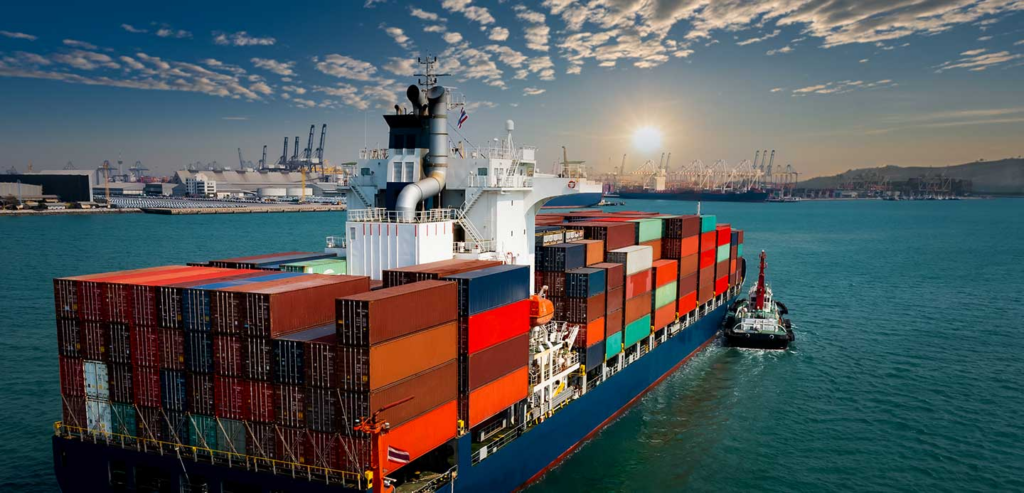
2.2 Streckendisposition: Lkw und Flüge bewegen sich in festen Zeitfenstern
Ein Hub kann ausgehende Ladungen nur zu bestimmten Zeiten senden:
- Nachtabfahrten im Linienverkehr
- Abschaltzeiten für Fluggesellschaften festlegen
- Begrenzter Wochenendauftrieb auf einigen Fahrspuren
So kann Ihr Paket eine Frist um zwei Stunden verpassen und auf das nächste Zeitfenster warten. Das fühlt sich langsam an, ist aber ein normales Netzwerkverhalten.
2.3 Kapazität der Fluggesellschaften und Ungleichgewicht der Flugspuren
Die Luftfrachtkapazität ändert sich ständig. Die Nachfrage spitzt sich zu:
- Ferienzeiten
- Große Verkaufsveranstaltungen
- Wetterbedingte Unterbrechungen
- Routenänderungen und Flugplanverschiebungen
Wenn die Abfertigungsspur mehr ausgehende Sendungen hat als Kapazitäten, wächst der Rückstau. Ihr Paket kann sich in einem “exportbereiten” Zustand befinden, während Verfolgung zeigt immer noch “In Transit”.”
2.4 Übergabelücken: ein Träger endet, der nächste Träger hat noch nicht begonnen
Internationale Pakete reisen oft mit mehrere Betreiber:
- Lokaler Abholer
- Handler exportieren
- Fluggesellschaft oder Luftfrachtpartner
- Handler importieren
- Bestimmungsort Post-/Kuriernetz
Der langsame Teil ist nicht immer der Flug. Der langsame Teil ist die Übergabe wo die Systeme nicht schnell synchronisiert werden.
Typisches Zeichen: In der letzten Aktualisierung wird erwähnt, dass die Einrichtung verlassen wurde, aber nichts bestätigt, dass sie an anderer Stelle angekommen ist.
3 Der Zoll: der Hauptgrund, warum “In Transit” endlos erscheint

3.1 Der Zoll ist eine Warteschlange, nicht ein einzelner Kontrollpunkt
Die Zollabfertigung besteht nicht aus einem Schreibtisch, an dem Pakete abgestempelt werden. Es ist eine Pipeline:
- Überprüfung der Daten (Manifest und Erklärung)
- Risiko-Screening
- Auswahl von Röntgenstrahlen oder Inspektionen
- Entscheidung über Zölle/Steuern
- Einspeisung in das nationale Netz
Wenn ein Schritt in der Warteschlange steht, verlangsamt sich alles dahinter.
3.2 Datenqualität kann die Freigabe verlangsamen
Der Zoll stützt sich auf die elektronische Anmeldung. Die Verzögerungen sind häufig auf Folgendes zurückzuführen:
- Vage Artikelbeschreibungen (“Geschenk”, “Zubehör”, “Muster”)
- Fehlender HS-Code oder falsche Kategorie
- Nichtübereinstimmung zwischen Wert und Produkttyp
- Unvollständige Empfängerangaben
Wenn die Daten schwach aussehen, kann der Zoll die Sendung länger oder bitten Sie den Betreiber um Klärung.
3.3 “Vom Zoll zurückgehalten” erscheint nicht immer in der Sendungsverfolgung
Einige Netze zeigen keinen eindeutigen “customs hold”-Scan an. Sie halten “In Transit”, bis das Paket ein Freigabeereignis erhält. Dadurch hat man das Gefühl, dass nichts passiert.
4 Warum die Sendungsverfolgung falsch aussehen kann, obwohl das Paket in Ordnung ist
4.1 Scans werden nicht sofort hochgeladen
Ein Hub kann Pakete in großen Mengen scannen und später hochladen. An Wochenenden und in Spitzenzeiten wird dies noch schlimmer.
4.2 Scans auf Beutelebene verbergen die Bewegung einzelner Pakete
Einige Netzwerke scannen die Tasche, nicht jedes Paket, an bestimmten Punkten. Ihr Paket bewegt sich, aber Sie sehen es nicht, weil:
- Die Tasche erhält einen Bewegungsscan
- Ihr Paket im Inneren erhält kein individuelles Ereignis
4.3 “Angekommen” und “Verarbeitet” können im Hintergrund stattfinden
Ein Paket kann in einer Einrichtung eintreffen und dann auf die Einweisung warten. Der Induktionsscan ist der, den Sie sehen. Bis dahin, Verfolgung sieht festgefahren aus.
5 Die häufigsten “In Transit”-Szenarien und was sie normalerweise bedeuten
5.1 “In Transit” direkt nach der Abnahme
Dies bedeutet häufig, dass das Paket in der Exportpipeline liegt:
- Sie wartet auf die Konsolidierung
- Er wartet auf den Liniendienst zum Flughafen-Drehkreuz
- Sie wartet auf die Sperrung durch die Fluggesellschaft
Worauf Sie achten sollten: ein Ereignis vom Typ “Verlassen der Ursprungseinrichtung” oder “Ausfuhr abgefertigt”.
5.2 “Im Transit” nach “Verlassen des Herkunftslandes”
Dies ist die klassische “stille Zeit”. Ein Flug mag stattgefunden haben, aber der nächste sichtbare Scan kommt oft erst dann:
- Die Importabfertigung scannt die Palette/den Sack
- Das Zielnetz leitet das Paket ein
Diese Lücke kann länger sein auf Strecken mit weniger Direktflügen oder mit langen Zollschlangen.
5.3 “Im Transit” nach “Im Bestimmungsland eingetroffen”
Nun befindet sich das Paket in der Regel an einem von drei Orten:
- Warten auf die Zollabfertigung
- Warten auf die Einspeisung in das nationale Netz
- Warten auf die Einspeisung auf der letzten Meile (vor allem, wenn es sich um eine Postzustellung handelt)
5.4 “In Transit” kurz vor dem Ende, kurz vor der Auslieferung
Dies kann passieren, wenn das Paket in einem lokalen Verteilzentrum eintrifft, aber nicht in der Lieferung laufen. Er wartet auf den nächsten Versand.
6 Was Sie tun können, wenn “In Transit” zu lange dauert
6.1 Überprüfen Sie die letzte sinnvoll Scan, nicht den letzten Zeitstempel
Konzentrieren Sie sich auf das letzte Ereignis, das einen echten Meilenstein darstellt:
- Verlassenes Exportzentrum
- Abflug / Abfertigung von Fluggesellschaften
- Ankunft am Importzentrum
- Freigabe durch den Zoll
- Häusliche Induktion
Eine “Statusaktualisierung” ohne Ortsangabe ist normalerweise kein Fortschritt.
6.2 Suchen Sie nach Musteränderungen (sie sind wichtiger als Daten)
Diese Muster deuten auf eine normale Bewegung hin:
- Standortwechsel von der Ursprungsstadt zum Flughafendrehkreuz
- Der Status ändert sich von “Versand” in “eingetroffen im Eingang”.”
- Jedes Zollfreigabe- oder “processed through facility”-Ereignis
Diese Muster deuten auf einen Stillstand hin:
- Mehrfache Wiederholung der gleichen Einrichtung
- “Ausnahme”-Ereignisse
- Keine Änderung der Anlage nach der Ausfuhr über einen ungewöhnlich langen Zeitraum
6.3 Bereiten Sie die Informationen vor, die Support-Teams tatsächlich benötigen
Wenn Sie einen Verkäufer oder Spediteur kontaktieren, senden Sie:
- Verfolgungsnummer(s)
- Postleitzahl und Land des Bestimmungsortes
- Text des letzten Scans + Datum
- Artikelart (allgemeine Beschreibung)
- Ob Adresse oder Telefonnummer möglicherweise Probleme haben
Klare Informationen beschleunigen die Eskalation.
6.4 Wissen, wann eine Eskalation sinnvoll ist
Die Eskalation funktioniert am besten, wenn:
- Das Paket hat den üblichen Zeitrahmen für die Fahrspur bei weitem überschritten
- Die Sendungsverfolgung zeigt eine Ausnahme (Adressproblem, Rücksendung, Zollanfrage)
- Das Paket hat das Bestimmungsland erreicht, wurde aber nie im Inland zugestellt
Eine Eskalation hilft selten, wenn:
- Das Grundstück liegt zwischen Export- und Import-Scans während der Hochsaison
- Zollbehörden Pipelines Backlog ohne Ausnahmeereignisse
7 Wie die Verfolgung von Postpaketen Ihnen hilft, “In Transit” intelligenter zu lesen
7.1 Ein klarer Zeitplan
- Ordnen Sie alle Carrier-Scans
- Anzeigen, wer das Paket hat
- Fehlende Übergaben hervorheben
7.2 “In Transit” = eine echte Bühne
- Abwicklung der Ausfuhr
- Zum Flughafen
- Warten auf den Flug
- Import/Zoll
- Lokaler Netzwerkeintrag
8 Schlussfolgerung
Lange “In Transit”-Zeiten entstehen, weil internationale Pakete einziehen Lose, durchlaufen Übergaben, und warten in Zoll- und Kapazitätswarteschlangen die das Tracking nicht gut beschreiben kann. Achten Sie auf Meilenstein-Scans, achten Sie auf Phasenwechsel und eskalieren Sie nur, wenn das Muster eindeutig durchbrochen wird. Dieser Ansatz spart Zeit, reduziert den Stress und hilft Ihnen, eine schnellere und sauberere Lösung zu finden, wenn ein echtes Problem auftritt.

Einblicke in die Industrie

Nachrichten über den Posteingang
Nulla turp dis cursus. Integer liberos euismod pretium faucibua