

Seguimiento OMS de envíos divididos: Mantenga claro el estado de varios paquetes
Envío fraccionado Seguimiento OMS mantiene un pedido comprensible aunque se envíe en 2-5 paquetes. El envío dividido es normal en el cumplimiento transfronterizo, pero las actualizaciones de estado poco claras crean pánico rápidamente. Los clientes ven “Entregado” demasiado pronto, el seguimiento se silencia y el servicio de asistencia se inunda de tickets WISMO.
Esta guía muestra cómo Postalparcel puede mantener un seguimiento limpio, preciso y fácil de confiar.
1. Por qué los envíos fraccionados crean confusión

Los clientes no odian los paquetes divididos. Odian las sorpresas.
Los problemas más comunes son los siguientes:
- La orden muestra Entregado, pero sólo Llegó 1 caja
- El comprador ve varios números de seguimiento sin ninguna explicación
- Un paquete se actualiza a diario, otro permanece en silencio durante días
- El texto escaneado del transportista parece confuso e incoherente
- Apoyo no puede decir lo que falta en un minuto
Split Shipment OMS Tracking soluciona esto creando una historia clara en todas las parcelas.
2. Construya primero la estructura de OMS adecuada
Envío fraccionado Seguimiento OMS funciona mejor cuando su OMS realiza un seguimiento pedir verdad y parcela verdad por separado.
2.1 Verdad a nivel de pedido frente a verdad a nivel de parcela
Nivel de pedido debería responder:
- ¿Qué compró el cliente?
- ¿Qué es completo frente a pendiente?
Nivel de parcela debería responder:
- ¿Dónde está cada parcela en este momento?
- ¿Qué ocurrió la última vez y qué ocurrirá después?
Su OMS debe almacenar estos campos:
- Número de pedido
- ID de parcela (1..n)
- Asignación de artículo a paquete (SKU → Paquete)
- Transportista + servicio por paquete
- Número de seguimiento por paquete
- Tiempo máximo de escaneado por paquete
- Hito normalizado por parcela
- Estado del resumen del pedido (calculado)
Sin esto, Split Shipment OMS Tracking siempre se vuelve desordenado bajo volumen.

3. Utilice reglas de estado que los clientes entiendan
Su mayor riesgo es simple: marcar todo el pedido entregado demasiado pronto.
3.1 “Entregado” debe significar 100% entregado
Utilice este conjunto de reglas:
- Entregado = todos los paquetes entregados
- Entregado parcialmente = al menos 1 entregado, otros aún en movimiento
- En tránsito = paquetes en movimiento, ninguno entregado
- Enviado parcialmente = algunos paquetes enviados, otros no enviados
- Tratamiento = aún no se ha enviado ningún paquete
Este es el núcleo de Split Envío Seguimiento OMS. Detiene las falsas disputas de “Entregado” y la presión de los reembolsos.
3.2 Mostrar “qué sigue” en cada parcela
Los clientes se sienten más tranquilos cuando la página responde:
- “¿Qué paquete llega primero?”
- “¿Qué falta todavía?”
- “¿Es normal el retraso o un problema?”
Así que muestra próximo hito previsto por cada tarjeta de parcela.
4. Normalizar los eventos de los transportistas en hitos sencillos
Los transportistas utilizan cientos de frases de escaneado. Los clientes quieren un significado claro.
Split Shipment OMS Tracking debe traducir los eventos brutos en etapas coherentes.

4.1 Un práctico mapa de hitos en 9 etapas
Utilice este conjunto de hitos para cada parcela:
- Pedido confirmado
- Envasado
- Etiqueta creada
- Recogida
- Salida Origen
- En tránsito
- Llegada al país de destino
- Fuera de servicio
- Entregado
Ahora cada paquete cuenta la misma historia, incluso con diferentes transportistas.
4.2 Hacer que las excepciones sean ruidosas, no ocultas
No entierre los problemas bajo “En tránsito”. Indíquelos claramente:
- Abordar el problema (requiere la intervención del cliente)
- Retención aduanera (espera de despacho)
- Entrega tentativa (es necesario reprogramar)
- Retraso meteorológico (cambios de ETA)
- Devolución en curso (necesita revisión)
El seguimiento OMS de envíos divididos reduce las quejas cuando se sienten retrasos explicó, no ignorado.
5. Diseño de página de seguimiento multipaquete que evita las multas por “artículo perdido
Una gran UX de seguimiento no es decoración. Reduce las devoluciones y la carga de soporte.
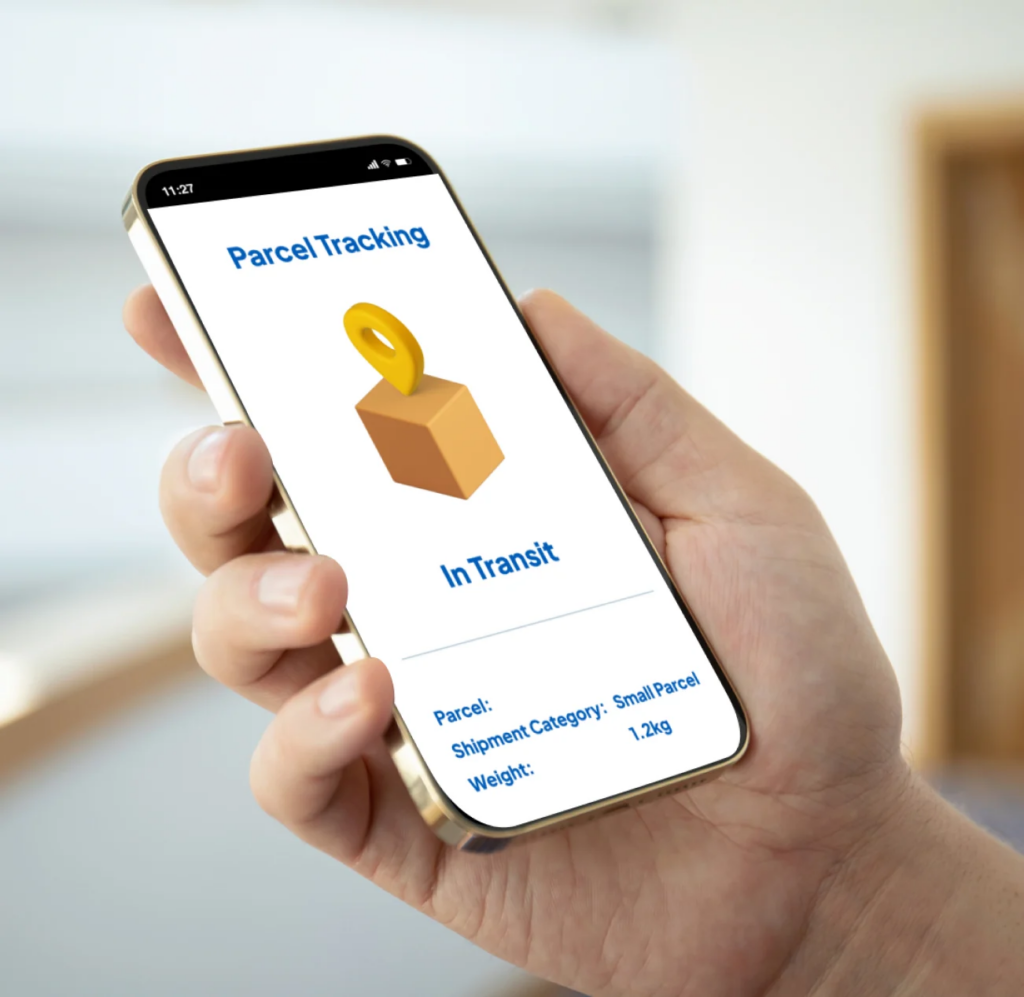
5.1 Una página de pedido, varias tarjetas de paquete
Su seguimiento debe aparecer:
- Resumen del progreso del pedido (un estado claro)
- Tarjetas de paquete (1..n) con etiquetas
- Intervalo de ETA por paquete
- Última exploración + marca de tiempo
- Nombre del transportista + enlace de seguimiento
- Artículos dentro de cada paquete (mejor característica)
Etiquetas útiles para los paquetes:
- Parcela 1 de 3 - Elementos principales
- Parcela 2 de 3 - Accesorios
- Paquete 3 de 3 - Envío posterior
Esto hace que el Seguimiento OMS de envíos divididos resulte organizado y predecible.
5.2 La correspondencia entre artículos y parcelas cambia las reglas del juego
Los clientes hacen una pregunta más que ninguna otra:
“¿Qué caja tiene mi objeto?”
Así que muestra:
- Nombre de la partida → Número de parcela
- Cantidad → Número de parcela
- Estado del paquete → estado del artículo
Esto también ayuda a los equipos de asistencia a resolver los casos más rápidamente, sin necesidad de adivinar.
5.3 Utilizar la lógica multi-ETA (no una fecha falsa)
Los envíos fraccionados suelen llegar en días diferentes. No muestres una ETA que no puede ser cierta.
Un enfoque mejor:
- Primer paquete ETA: 18-enero-20-enero
- ETA de los paquetes restantes: 22-enero-26-enero
Split Shipment OMS Tracking se convierte en fiable cuando el cliente sabe lo que llega primero y lo que llega último.
6. Flujo de trabajo OMS que mantiene estables los envíos divididos
Si tu decisión dividida llega tarde, todo se rompe.
6.1 Utilizar activadores de división claros
Activar una división sólo cuando sea necesario:
- Inventario buques desde diferentes lugares
- Límite de peso/tamaño superado
- Diferentes plazos de entrega (listo ahora frente a pedido pendiente)
- Restricciones para los transportistas
- Control de riesgos (separar los artículos frágiles)
Registre también internamente el motivo de la división. Ayuda a auditar los problemas más adelante.
6.2 Bloquear el plano de parcela tras la impresión de la primera etiqueta
Muchas tiendas siguen “re-partiendo” después de que empiece el envío. Eso crea:
- números de seguimiento duplicados
- errores de asignación de elementos
- plazos rotos
Envío dividido OMS El seguimiento se mantiene estable cuando bloquea los paquetes con antelación.
6.3 Manejar el traspaso multiportadora con cosido de seguimiento

Los paquetes transfronterizos suelen cambiar de transportista a mitad de camino. Es entonces cuando el seguimiento se silencia.
Para arreglarlo, apoyo:
- varios números de seguimiento por paquete (si es necesario)
- una línea de tiempo cosida para el cliente
- detección de operador de última milla
De este modo, el seguimiento OMS de envíos divididos evita las zonas muertas durante el traspaso.
6.4 Enviar notificaciones breves y proactivas
Las actualizaciones sencillas reducen WISMO entradas rápido:
- “Paquete 2 enviado hoy. Seguimiento: XXXX”
- “Paquete 1 entregado. Paquete 2 todavía en movimiento.”
- “Paquete 3 retrasado por la aduana. Nueva ETA: 25-Ene-28”.”
Los clientes confían más en usted cuando habla primero.
Preguntas frecuentes

P1: ¿Qué es el seguimiento OMS de envíos fraccionados?
Esto significa que su OMS realiza el seguimiento de un pedido a través de varios paquetes, con un estado claro a nivel de paquete y un estado correcto del resumen del pedido.
P2: ¿Por qué mi pedido dice entregado pero sólo he recibido una caja?
Es probable que su sistema marque todo el pedido como entregado cuando llegue el primer paquete. Split Shipment OMS Tracking soluciona este problema exigiendo que todos los paquetes se entreguen primero.
P3: ¿Cómo puedo poner fin a las quejas por “artículos perdidos”?
Mostrar la asignación de artículos a parcelas, rangos multi-ETA y “Parcialmente entregado” como estado real.
P4: ¿Cómo se gestionan las lagunas de seguimiento durante el traspaso de operador?
Utilice la costura de seguimiento y la detección de la última milla para que cada paquete mantenga una línea de tiempo continua.
Conclusión
El seguimiento OMS de envíos divididos funciona cuando su OMS cuenta una historia clara para cada paquete. Utilice una lógica estricta de “todos los paquetes entregados”, normalice los estados en hitos sencillos y muestre tarjetas de paquetes con asignación de artículos. De este modo, el seguimiento es fácil de leer, se reducen las solicitudes de asistencia y se protege la tasa de reembolso.


Perspectivas del sector

noticias vía inbox
Nulla turp dis cursus. Integer liberos euismod pretium faucibua